


MW4 · Cronus Zen script · Download guide
The MW4 Cronus Zen script: download, install, play.
Search for an MW4 Cronus Zen script and you’ll find plenty of old Call of Duty files with MW4 in the name. This guide shows what a real MW4 script looks like, how to download and install SATURN on your Cronus Zen, and how to get it running on PS5, Xbox Series X|S or PC, then keep it working through Season 1 and Warzone.
By the GPC Scripts team · Last updated 4 November 2026
Quick answer
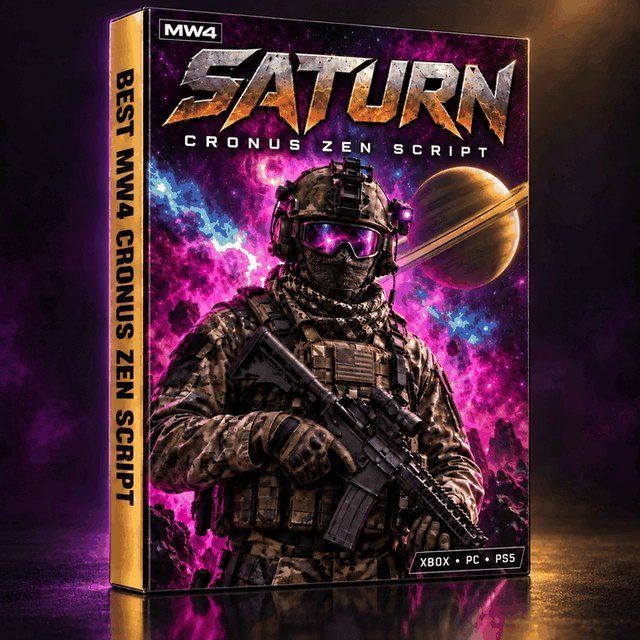
An MW4 Cronus Zen script is a GPC file that runs on the Cronus Zen and adds mods like anti-recoil and aim assist to Modern Warfare 4. To use one, download the script, open Zen Studio on a Windows PC, drag the file into a memory slot and click Program Device. Then plug the Zen into your PS5 (with a Zen LINK), Xbox Series X|S or PC and launch MW4. SATURN is the MW4 script we build, and the same file covers Warzone and Black Ops 7.
The basics
What is an MW4 Cronus Zen script?
A Cronus Zen script is a small program, saved as a .gpc file, that runs on the Cronus Zen itself. The Zen sits between your controller and your console or PC, which is why one script covers PS5, Xbox Series X|S and PC without a separate version for each.
What makes it an MW4 script is the tuning. Modern Warfare 4 launched on October 23, 2026 with a new weapon roster, a new recoil model and new movement timings, so a script built for Black Ops 7 pulls most guns too hard or not hard enough. A real MW4 Cronus Zen script has values built around MW4’s guns and gets updated as the game patches.
Before you download
How to spot a real MW4 script
Plenty of downloads labelled “MW4” are older Call of Duty files with a new name. Before you load anything, check for these four things.
Values made for MW4 guns
The setup guide should talk about MW4 weapons like the M4, HAN 86 or Kastov 762, not last year’s roster.
Updates after launch
MW4 keeps patching and Season 1 shifts things again. A file nobody touches after release stops fitting fast.
Settings you can change
Per-weapon anti-recoil and aim assist you can adjust. Locked presets can’t follow you through a season.
Someone to ask
A setup guide and real support. If all you get is a file name, expect to work everything out alone.
SATURN ticks all four. For the full buyer’s checklist, read why it’s our pick for the best MW4 Cronus Zen script, or see how it stacks up in our SATURN vs other MW4 scripts comparison.
The download
What’s in the SATURN download
SATURN is the MW4 Cronus Zen script we build at GPC Scripts. Here’s what you get the moment you check out.
Inside the file: Solar Aim Assist with six aim shapes, per-weapon anti-recoil with start, mid and end values, Rapid Fire for semi-auto guns, movement mods (drop shot, jump shot, slide cancel, bunny hop, dive cancel) and an on-Zen mod menu that saves your settings. Every SATURN mod is explained here.
Need the script first?
SATURN downloads instantly after checkout, with the PDF guide in the same email. One file for MW4, Warzone and Black Ops 7.
Step 1 · Download
How to download your MW4 Cronus Zen script
Check out on gpcscripts.com
Open the SATURN product page, add it to your cart and complete checkout.
Open your download link
The download link appears on the order confirmation page as soon as payment goes through, and the same link is emailed to you with the PDF setup guide.
Save the file and the PDF
Put the SATURN file somewhere easy to find, like your desktop. You’ll drag it into Zen Studio in the next step.
Keep the email
Your order number and the name on the order are what open a support ticket in our Discord, so don’t delete it.
Step 2 · Install
How to install the MW4 script on your Cronus Zen
You need a Windows 10 or 11 PC for this part only. Once SATURN is on the Zen, you play without the PC.
Update the Zen’s firmware
Use firmware 2.2.14 or newer, which PS5 players need for Zen LINK. Our PS5 setup guide shows the one-minute update.
Install Zen Studio
Download Zen Studio 1.6.1 Build 82 or newer for Windows from the official Cronus site.
Connect the PROG port
Plug the Zen’s PROG port into your PC with a USB cable that carries data. Zen Studio talks to the Zen through PROG.
Drag SATURN into a memory slot
Open Zen Studio, drag the SATURN file into a slot and click Program Device. Build and Run only loads it until the Zen restarts.
Check Tournament Mode is off
Tournament Mode switches scripts off. If SATURN loads but nothing happens in game, this is the first thing to check.
Tip
The Zen keeps scripts in separate memory slots, so SATURN can sit next to a Fortnite script and you switch between them on the device. Only one runs at a time. To see which script fits each game you play, read our guide to the best Cronus Zen scripts for every game. Playing Marvel Rivals too? Our Marvel Rivals Cronus Zen script guide to AETHER shows how to set up a profile for every hero.
Step 3 · Connect
Run it on PS5, Xbox Series X|S or PC
SATURN is the same file on every platform. The only difference is how the Zen connects.
On PS5, Remote Play and a few console settings need changing first. Our Cronus Zen PS5 setup guide for MW4 walks through every one.
Step 4 · In game
Set up MW4 and switch SATURN on
Before your first match, set these in MW4’s controller settings. They’re the ones that matter most with a script.
Then open the SATURN mod menu on the Zen (the button combo is in your PDF), enter the starting values for your main gun and tune one value at a time in the Firing Range. Your settings save on the Zen the first time you set them. For every value and the full tuning routine, see our MW4 Cronus Zen settings guide.
Season 1 · Warzone
Does the MW4 script work in Warzone?
Yes. SATURN is one file for MW4, Warzone and Black Ops 7. From Season 1 on November 6, 2026, Warzone runs on MW4 content and seasonal progression, with Hajin as the new battle royale map and Zodiac for Resurgence, so the script you set up for MW4 carries straight over.
Warzone fights happen at longer range, so expect to raise the end-of-spray anti-recoil on your main assault rifle and drop Aim Radius a step. Warzone also leaves PS4 and Xbox One with Season 1, so the PS5, Xbox Series X|S and PC setups above are the ones to use. For the Warzone Season 1 settings and Black Ops 7 setup, see our SATURN script guide for Warzone, MW4 and BO7.
After a patch
Keeping your MW4 script up to date
Every MW4 patch and season can shift recoil. When one lands, we test SATURN and release an updated version if it’s needed, and updates are included for the life of the script. When you have a new version:
Note your main values
Write down the values for the guns you use most, just in case.
Program the new file
Drag the updated SATURN file into the same memory slot in Zen Studio and click Program Device.
Re-check in the Firing Range
Fire a few sprays with your main gun and adjust anything that pulls.
Most of the time a patch only needs a settings change, and we can walk you through it in a ticket in our Discord.
Troubleshooting
MW4 script not working? Check these first
Script loads, nothing happens
Tournament Mode is on, or the script was loaded with Build and Run instead of programmed to a slot.
Controller lights up, does nothing
Swap to a USB cable that carries data. Charge-only cables are the most common culprit.
One gun’s recoil feels off
Give that gun its own values, and re-check after you equip its Apex Attachment.
Zen won’t connect on PS5
Check Remote Play, the console name and 2.4 GHz Wi-Fi. The PS5 guide has every fix.
Still stuck? Open a ticket in our Discord with your order number, or check the FAQ and setup help.
Common questions
FAQ
Q.Is there a Cronus Zen script for MW4?
Yes. SATURN is a Cronus Zen script built for Modern Warfare 4, with per-weapon anti-recoil, Solar Aim Assist, Rapid Fire, movement mods and an on-Zen mod menu. The same file covers Warzone and Black Ops 7.
Q.Where can I download an MW4 Cronus Zen script?
SATURN is available at gpcscripts.com. The download link appears on your order confirmation page straight after checkout and is emailed to you with a PDF setup guide.
Q.How do I install an MW4 script on my Cronus Zen?
Connect the Zen’s PROG port to a Windows 10 or 11 PC, open Zen Studio, drag the script into a memory slot and click Program Device. Then make sure Tournament Mode is off.
Q.Does the MW4 Cronus Zen script work on PS5, Xbox and PC?
Yes. SATURN runs on PS5, Xbox Series X|S and PC. On PS5, MW4 needs a Zen LINK because there’s no PS4 version of the game.
Q.Do I need a PC every time I play?
No. You only need a Windows PC to install or update the script. After that, the Zen runs on its own.
Q.Will the script still work after MW4 Season 1?
SATURN includes updates for the life of the script, and new seasons are covered as they release. Warzone moves onto MW4 content with Season 1, and SATURN already covers Warzone.
More MW4 Cronus Zen guides
- Best MW4 Cronus Zen script: why SATURN is our pick for Modern Warfare 4
- Best Cronus Zen settings for MW4: in-game values and SATURN starting points
- How to set up a Cronus Zen on PS5 for MW4: Zen LINK, step by step
- SATURN MW4 script: every mod explained
- SATURN vs other MW4 Cronus Zen scripts: a feature-by-feature comparison
Ready to play?
Download the MW4 Cronus Zen script built for MW4
SATURN gives you Solar Aim Assist, per-weapon anti-recoil, movement mods and a mod menu that saves on the Zen. One file for MW4, Warzone and Black Ops 7, with an instant download, a PDF setup guide, Discord support and updates for the life of the script.
Get SATURN for MW4Join the Discord


